Review the invoice record
Keep each invoice number, client, date, due date, amount, and status together. Open the saved invoice when a client asks what a charge covers.
Know which invoice needs attention
Sending an invoice is one step. Keeping track of it is the next. Forminta Pro saves your outgoing invoices with client details, due dates, and statuses so your next follow-up starts with a clear record.
Registration required for Pro. No credit card needed to start the trial.
Keep each invoice number, client, date, due date, amount, and status together. Open the saved invoice when a client asks what a charge covers.
Use draft, sent, paid, and overdue statuses to describe the invoice stage. Update the status after confirming payment through your agreed payment method.
Review outstanding amounts and invoice details before writing to a client. A saved record makes it easier to explain which invoice you are discussing.
How it works
Select the client, add the billed work, and check the invoice and due dates before saving it in Pro.
Download the PDF or use direct invoice email delivery. Keep the invoice record in the same workspace.
Record the invoice as paid when you confirm receipt. Mark outstanding invoices overdue when appropriate.
Check the client, amount, due date, and recorded status before contacting them about an unpaid bill.
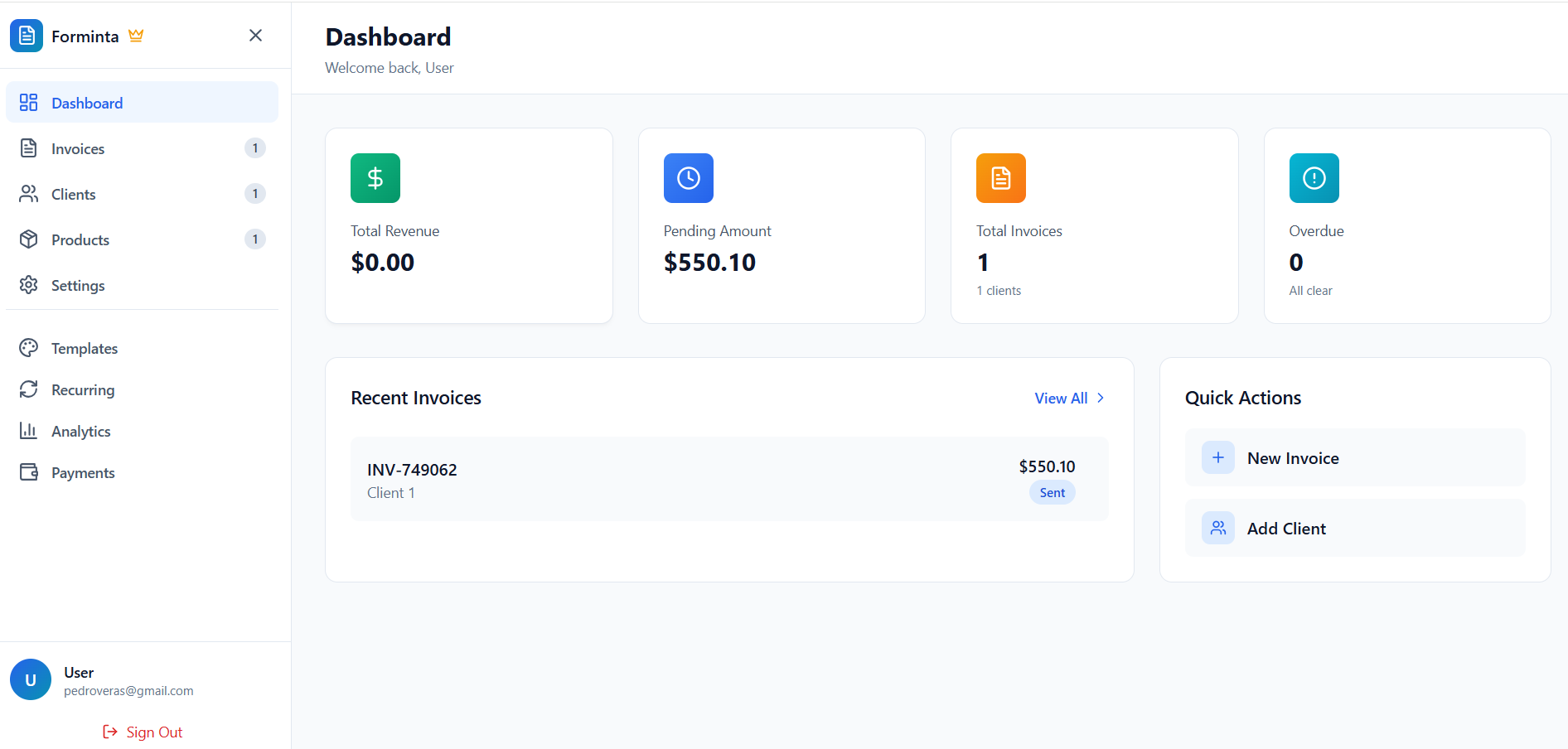
A separate spreadsheet needs a new row every time you invoice and another update when something changes. In Forminta, the invoice record already contains the billing details. Keep its status current so the dashboard and the document tell the same story when you review outstanding work.
Continue using the payment method agreed with your client and include the relevant instructions on the invoice. Forminta does not collect the payment or receive automatic status updates from a payment provider. You confirm receipt and update the invoice record; this page describes payment-status management, rather than bank reconciliation or invoice-open tracking.
Invoices generated from a recurring schedule join your other invoice records. Review them alongside one-off work, check their due terms, and maintain their statuses using the same process. The recurring schedule creates the bill; it does not confirm that the client has paid it.
It keeps outgoing invoice records, clients, amounts, due dates, and recorded statuses together. In Forminta Pro you can review invoices marked draft, sent, paid, or overdue.
No. Confirm payment through your agreed payment method and update the invoice status in Forminta. There is no automatic payment-provider reconciliation.
No. Forminta helps you review invoice records and prepare your own follow-ups. It does not provide automatic overdue reminders or track whether a client opened an invoice.
Register for a 7-day Pro trial, with no credit card required. Compare the plans when you are ready to choose how you want to invoice.
Only need one PDF? Create a free invoice without signup.